A README badge for AI search readiness
Put it in your README. It shows whether AI search can reach your site — so you don't re-check robots.txt after every deploy.
%22%3E%0A%20%20%20%20%3Crect%20width%3D%2214%22%20height%3D%2214%22%20rx%3D%223.5%22%20fill%3D%22%2334D399%22%2F%3E%0A%20%20%20%20%3Cg%20transform%3D%22translate(2%202)%20scale(0.4166666666666667%200.4166666666666667)%22%3E%3Cpath%20fill%3D%22%230B0D10%22%20d%3D%22m9%2020.42l-6.21-6.21l2.83-2.83L9%2014.77l9.88-9.89l2.83%202.83z%22%2F%3E%3C%2Fg%3E%0A%20%20%3C%2Fg%3E%0A%20%20%3Cg%20fill%3D%22%23fff%22%20text-anchor%3D%22middle%22%20font-family%3D%22ui-monospace%2C%20SFMono-Regular%2C%20Menlo%2C%20monospace%22%20font-size%3D%2211%22%3E%0A%20%20%20%20%3Ctext%20x%3D%2257%22%20y%3D%2214%22%3Eai%20search%3C%2Ftext%3E%0A%20%20%20%20%3Ctext%20x%3D%22133%22%20y%3D%2214%22%3Eready%3C%2Ftext%3E%0A%20%20%3C%2Fg%3E%0A%3C%2Fsvg%3E)
%22%3E%0A%20%20%20%20%3Crect%20width%3D%2214%22%20height%3D%2214%22%20rx%3D%223.5%22%20fill%3D%22%23FACC15%22%2F%3E%0A%20%20%20%20%3Cg%20transform%3D%22translate(2%202)%20scale(0.4166666666666667%200.4166666666666667)%22%3E%3Cpath%20fill%3D%22%23713f12%22%20d%3D%22m9%2020.42l-6.21-6.21l2.83-2.83L9%2014.77l9.88-9.89l2.83%202.83z%22%2F%3E%3C%2Fg%3E%0A%20%20%3C%2Fg%3E%0A%20%20%3Cg%20fill%3D%22%23fff%22%20text-anchor%3D%22middle%22%20font-family%3D%22ui-monospace%2C%20SFMono-Regular%2C%20Menlo%2C%20monospace%22%20font-size%3D%2211%22%3E%0A%20%20%20%20%3Ctext%20x%3D%2257%22%20y%3D%2214%22%3Eai%20search%3C%2Ftext%3E%0A%20%20%20%20%3Ctext%20x%3D%22133%22%20y%3D%2214%22%3Eunclear%3C%2Ftext%3E%0A%20%20%3C%2Fg%3E%0A%3C%2Fsvg%3E)
%22%3E%0A%20%20%20%20%3Crect%20width%3D%2214%22%20height%3D%2214%22%20rx%3D%223.5%22%20fill%3D%22%23F87171%22%2F%3E%0A%20%20%20%20%3Cg%20transform%3D%22translate(2%202)%20scale(0.4166666666666667%200.4166666666666667)%22%3E%3Cpath%20fill%3D%22%230B0D10%22%20d%3D%22m9%2020.42l-6.21-6.21l2.83-2.83L9%2014.77l9.88-9.89l2.83%202.83z%22%2F%3E%3C%2Fg%3E%0A%20%20%3C%2Fg%3E%0A%20%20%3Cg%20fill%3D%22%23fff%22%20text-anchor%3D%22middle%22%20font-family%3D%22ui-monospace%2C%20SFMono-Regular%2C%20Menlo%2C%20monospace%22%20font-size%3D%2211%22%3E%0A%20%20%20%20%3Ctext%20x%3D%2257%22%20y%3D%2214%22%3Eai%20search%3C%2Ftext%3E%0A%20%20%20%20%3Ctext%20x%3D%22133%22%20y%3D%2214%22%3Eblocked%3C%2Ftext%3E%0A%20%20%3C%2Fg%3E%0A%3C%2Fsvg%3E)
In a real README
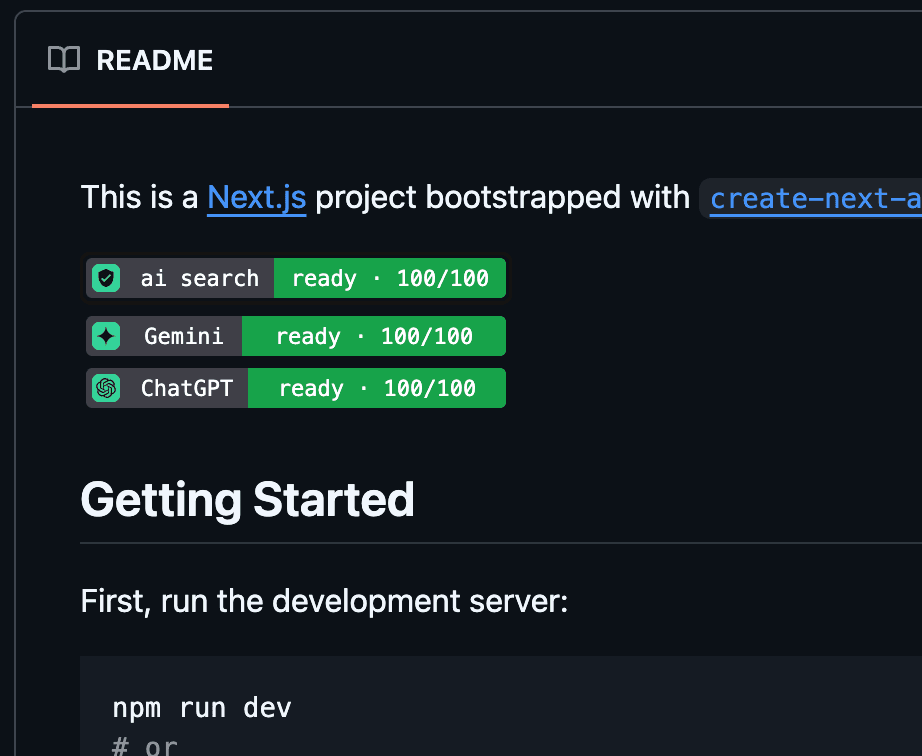
Live examples
Styles
%22%3E%0A%20%20%20%20%3Crect%20width%3D%2214%22%20height%3D%2214%22%20rx%3D%223.5%22%20fill%3D%22%2334D399%22%2F%3E%0A%20%20%20%20%3Cg%20transform%3D%22translate(2%202)%20scale(0.4166666666666667%200.4166666666666667)%22%3E%3Cpath%20fill%3D%22%230B0D10%22%20d%3D%22M12%2016a3%203%200%200%201-3-3c0-1.12.61-2.1%201.5-2.61l9.71-5.62l-5.53%209.58c-.5.98-1.51%201.65-2.68%201.65m0-13c1.81%200%203.5.5%204.97%201.32l-2.1%201.21C14%205.19%2013%205%2012%205a8%208%200%200%200-8%208c0%202.21.89%204.21%202.34%205.65h.01c.39.39.39%201.02%200%201.41s-1.03.39-1.42.01A9.97%209.97%200%200%201%202%2013A10%2010%200%200%201%2012%203m10%2010c0%202.76-1.12%205.26-2.93%207.07c-.39.38-1.02.38-1.41-.01a.996.996%200%200%201%200-1.41A7.95%207.95%200%200%200%2020%2013c0-1-.19-2-.54-2.9L20.67%208C21.5%209.5%2022%2011.18%2022%2013%22%2F%3E%3C%2Fg%3E%0A%20%20%3C%2Fg%3E%0A%20%20%3Cg%20fill%3D%22%23fff%22%20text-anchor%3D%22middle%22%20font-family%3D%22ui-monospace%2C%20SFMono-Regular%2C%20Menlo%2C%20monospace%22%20font-size%3D%2211%22%3E%0A%20%20%20%20%3Ctext%20x%3D%2253.5%22%20y%3D%2214%22%3Eai%20score%3C%2Ftext%3E%0A%20%20%20%20%3Ctext%20x%3D%22126%22%20y%3D%2214%22%3E72%2F100%3C%2Ftext%3E%0A%20%20%3C%2Fg%3E%0A%3C%2Fsvg%3E)
%22%3E%0A%20%20%20%20%3Crect%20width%3D%2214%22%20height%3D%2214%22%20rx%3D%223.5%22%20fill%3D%22%2334D399%22%2F%3E%0A%20%20%20%20%3Cg%20transform%3D%22translate(2%202)%20scale(0.4166666666666667%200.4166666666666667)%22%3E%3Cpath%20fill%3D%22%230B0D10%22%20d%3D%22M12%2020a8%208%200%200%200%208-8a8%208%200%200%200-8-8a8%208%200%200%200-8%208a8%208%200%200%200%208%208m0-18a10%2010%200%200%201%2010%2010a10%2010%200%200%201-10%2010C6.47%2022%202%2017.5%202%2012A10%2010%200%200%201%2012%202m.5%205v5.25l4.5%202.67l-.75%201.23L11%2013V7z%22%2F%3E%3C%2Fg%3E%0A%20%20%3C%2Fg%3E%0A%20%20%3Cg%20fill%3D%22%23fff%22%20text-anchor%3D%22middle%22%20font-family%3D%22ui-monospace%2C%20SFMono-Regular%2C%20Menlo%2C%20monospace%22%20font-size%3D%2211%22%3E%0A%20%20%20%20%3Ctext%20x%3D%2263%22%20y%3D%2214%22%3Elast%20search%3C%2Ftext%3E%0A%20%20%20%20%3Ctext%20x%3D%22145%22%20y%3D%2214%22%3Enow%3C%2Ftext%3E%0A%20%20%3C%2Fg%3E%0A%3C%2Fsvg%3E)

How it works
- Check your domain — we read robots.txt, llms.txt, and sitemap.
- Copy the badge into your README.
- Optional Pro: we re-check daily and email on change — nothing else to run.
Guides
- GPTBot vs ChatGPT-User vs OAI-SearchBot: what's the difference
- Does blocking AI crawlers hurt your Google ranking?
- The complete list of AI crawler user agents (2026)
- llms.txt explained: what it is, and whether you need one
FAQ
- What is an AI crawler checker?
- An AI crawler checker reads a site's public robots.txt and llms.txt to see whether bots like GPTBot, ChatGPT-User, OAI-SearchBot, Claude-SearchBot, and PerplexityBot are allowed. It does not fetch your whole site or change Google ranking. Read more.
- Does blocking GPTBot hurt Google ranking?
- No. Google Search uses Googlebot. Google-Extended is a separate token for Gemini training. Blocking GPTBot, ClaudeBot, or Google-Extended does not by itself change your Google ranking. Read more.
- What is llms.txt?
- llms.txt is an optional markdown file at your site root that describes the site for language models. It complements robots.txt and does not grant crawl access by itself. Read more.
- What is the difference between GPTBot and ChatGPT-User?
- GPTBot is used to collect training data. ChatGPT-User fetches a page when someone asks ChatGPT about it. OAI-SearchBot builds the ChatGPT search index. Blocking training bots is common; blocking search and fetch bots is what hides you from live answers. Read more.
- How do I embed an AI ready badge?
- Check a domain, then copy the HTML or Markdown snippet. The image URL stays the same if you later turn on monitoring. The badge alt text names the domain so embeds stay descriptive. Read more.
Free badge. Pro keeps it updated — $5/mo.
Pricing